







How to Lock Your Facebook Profile: Complete Privacy Guide
In today’s digital age, protecting your online privacy has become more crucial than ever. If you’ve been wondering how to lock your Facebook profile, you’re not alone. Millions of users worldwide are searching for ways to enhance their social media security and control who can view their personal information.
Facebook’s profile lock feature has gained massive attention, especially among users concerned about unauthorized access to their photos, posts, and personal details. Whether you’re worried about strangers browsing your content, protecting yourself from online harassment, or simply wanting more control over your digital footprint, learning how to lock your Facebook profile is an essential skill in 2025.
This comprehensive guide will walk you through everything you need to know about Facebook’s profile lock feature, why it matters, and how you can implement it effectively to safeguard your online presence.

What is Locking Your Facebook Profile?
Locking your Facebook profile is a privacy feature that restricts what non-friends can see on your account. When you lock your profile, people who aren’t your Facebook friends can only view your profile picture and cover photo—nothing else.
This feature acts like a digital shield for your personal information. Instead of allowing strangers to scroll through your timeline, view your photo albums, or read your posts, the profile lock creates a barrier that protects your content. Think of it as putting your entire Facebook presence behind a locked door, where only people you’ve accepted as friends hold the key.
In daily life, this feature plays a vital role in maintaining your digital privacy. It prevents unwanted attention from strangers, protects you from potential stalkers, and gives you peace of mind knowing that your personal moments remain personal. For parents, professionals, and privacy-conscious individuals, understanding how to lock your Facebook profile has become as important as locking your front door.
Why Locking Your Facebook Profile Matters
The importance of locking your Facebook profile cannot be overstated in our increasingly connected world. Every day, countless cases of identity theft, online harassment, and privacy violations occur on social media platforms.
When your profile remains unlocked, anyone can access your photos, see your friends list, read your posts, and gather personal information about you. This information can be misused by scammers, identity thieves, or people with malicious intentions. In some cases, unlocked profiles have led to stalking incidents, employment discrimination, and unwanted contact from strangers.
For society as a whole, widespread adoption of privacy features like profile locking creates a safer online environment. It empowers individuals to control their digital narrative and reduces opportunities for cyberbullying and harassment. Parents can better protect their children’s images, professionals can maintain appropriate boundaries between personal and work life, and everyone gains greater control over their online identity.
The profile lock feature directly addresses these concerns by limiting public visibility and putting you back in control of who sees your content.
Benefits of Locking Your Facebook Profile
Understanding the advantages of locking your Facebook profile helps you appreciate why this feature has become so popular:
- Enhanced Privacy Protection: Your photos, posts, and personal information remain visible only to friends you’ve approved, preventing strangers from accessing your private moments and family pictures.
- Reduced Unwanted Contact: When people can’t see your content, they’re less likely to send inappropriate messages or friend requests based on information they’ve gathered from your profile.
- Professional Boundary Management: Keep your personal life separate from professional contacts by controlling who can view your casual photos and posts, protecting your career reputation.
- Safety from Online Stalkers: The profile lock significantly reduces the risk of being tracked or monitored by individuals who might have unhealthy interests in your activities and whereabouts.
- Control Over Your Digital Footprint: You decide exactly who gets access to your online presence, ensuring your content isn’t shared without your permission or used in ways you didn’t intend.
For example, many users have reported feeling more comfortable posting personal content after locking their profiles, knowing that only trusted friends can view and interact with their posts.
Latest Trends in Facebook Profile Locking
Facebook continues to evolve its privacy features, and several current trends are shaping how users approach profile security:
Increased Adoption Among Younger Users: Generation Z and younger millennials are leading the charge in profile locking, with many treating it as a standard security practice rather than an optional feature. This demographic shift is making locked profiles the new normal.
Regional Expansion of Features: Facebook has been gradually rolling out the profile lock feature to more countries and regions throughout 2024 and 2025. Users in India, Pakistan, and several Southeast Asian countries were early adopters, and the feature is now available in most regions globally.
Integration with Other Privacy Tools: The profile lock now works seamlessly with other Facebook privacy settings, including story controls, tag review, and friend list visibility. Users are creating comprehensive privacy strategies rather than relying on single features.
Business and Personal Account Separation: More professionals are locking their personal Facebook profiles while maintaining separate, public-facing business pages, creating clear boundaries between personal and professional online identities.
Tips for Using Facebook Profile Lock Effectively
Maximizing the benefits of your locked profile requires following some best practices:
- Review Your Friend List Regularly: Before locking your profile, audit your friends list and remove anyone you don’t trust or recognize. The profile lock only works if you’re selective about who you accept as friends.
- Adjust Additional Privacy Settings: Complement your profile lock by reviewing who can send you friend requests, see your friends list, and search for you using your email or phone number for comprehensive protection.
- Update Your Profile and Cover Photos Wisely: Remember that these images remain visible even with a locked profile, so choose appropriate pictures that don’t reveal sensitive information or your current location.
- Communicate with Trusted Contacts: Let close friends and family know you’ve locked your profile so they understand why they need to be on your friends list to see your content and updates.
- Monitor Your Tagged Content: Even with a locked profile, others can still tag you in posts and photos. Enable tag review to approve or reject tags before they appear on your profile.
These practical steps ensure your profile lock provides maximum protection while maintaining meaningful connections with people who matter.
How to Lock Your Facebook Profile: Step-by-Step
Now that you understand the importance and benefits, here’s exactly how to lock your Facebook profile:
On Mobile (Most Common Method):
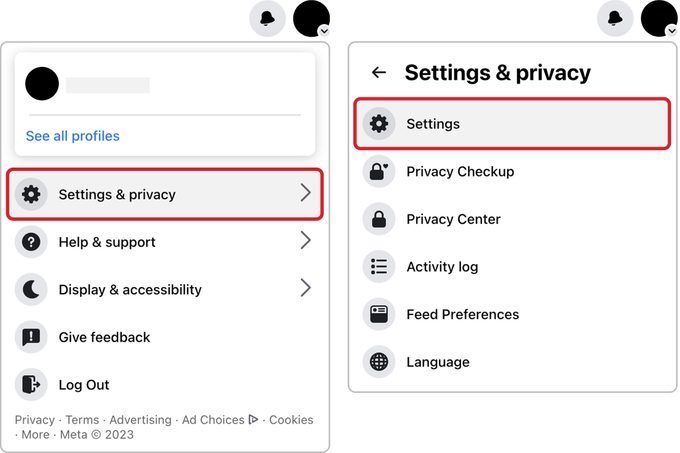
- Open the Facebook app and navigate to your profile
- Tap the three-dot menu icon below your cover photo
- Select “Lock Profile” from the menu options
- Review what changes when you lock your profile
- Tap “Lock Your Profile” to confirm
On Desktop: The profile lock feature is primarily available on mobile devices. If you’re using a computer, you can achieve similar results by adjusting your privacy settings to restrict public visibility of your posts, photos, and timeline.
Verification: After locking, log out and search for your profile to see what others can view. You should only see your profile and cover photos with limited additional information.
If you ever want to unlock your profile, simply follow the same steps and select “Unlock Your Profile” instead.
Conclusion
Learning how to lock your Facebook profile is a crucial step toward better online privacy and security. This powerful feature protects your personal information for facebook privacy for profile lock, reduces unwanted contact, and gives you complete control over your digital presence.
By implementing the profile lock along with other privacy best practices, you create multiple layers of protection that keep your content safe from prying eyes. Remember to regularly review your privacy settings and stay informed about new security features as Facebook continues evolving.
Take action today to secure your Facebook presence and protect what matters most. For more helpful guides on digital privacy, social media tips, and lifestyle advice, visit Ecofiy.com and stay updated with the latest trends!